Voyager SolutionsMission Control
VS-Mission-04iToolsDDP Studio, DAP & iHub delivery
New for iTools DDP Studio: secure iHub delivery with optional inline DDP inspection
DDP tools for engineers, studios, artists & factories

iTools DDP Studio
From preparation to delivery.

Convert, capture and package CD and DVD masters in one Windows workspace. Create an iDDP for your preferred transfer service, or send securely to your recipient through integrated iHub delivery.

Choose inline DDP inspection when you send, or add desktop Inspect to review locally and fast-track eligible pre-inspected packages.

iTools DDP Studio + iHub - a universe of possibilities.

Engineer
Studio
Artist
Factory
iHub iHub Secure Delivery
& DDP Inspection

Studio -> iHub -> Artist.

Send from DDP Studio. Securely deliver through iHub.

An industry first for iTools DDP Studio: integrated, secure point-to-point delivery through iHub, with optional inline DDP inspection.

Manual transfer still matters. DDP Studio can create an iDDP package for WeTransfer, Google Drive or your chosen file service. iHub adds the managed route: sender-to-recipient delivery, recipient verification and inspection when the package is eligible.

Accepted pre-inspected packages take the iHub fast lane without duplicate DDP inspection. The route still preserves authentication, integrity controls and recipient access policy.

One workspace. Choose how you inspect and deliver.

iTools DDP Studio stays at the center of the product story. iHub extends the delivery path. DAP gives recipients a focused way to review CD-Audio masters.

Prepare

iTools DDP Studio

Your Windows workbench for DDP. Convert between ISO and DDP, capture supported CDs and DVDs, prepare packages for delivery, and keep job progress and logs close at hand.

  • ISO <-> DDP conversion
  • CD and DVD capture
  • Package creation and Send
  • Proof-CD burning
Inspect

DDP Inspection

Activate Inspect with an optional desktop license to run detailed CD-Audio and DVD DDP analysis inside Studio. Review findings locally, correct issues before sending, and bind accepted evidence to the package.

Deliver

iHub delivery

Send CD-Audio and DVD packages directly from DDP Studio. iHub combines secure point-to-point delivery with optional inline DDP inspection for eligible packages.

Review

DDP Audio Player

Enable artists to proof the album as delivered, check metadata, and provide timestamped studio feedback notes without installing DDP Studio.

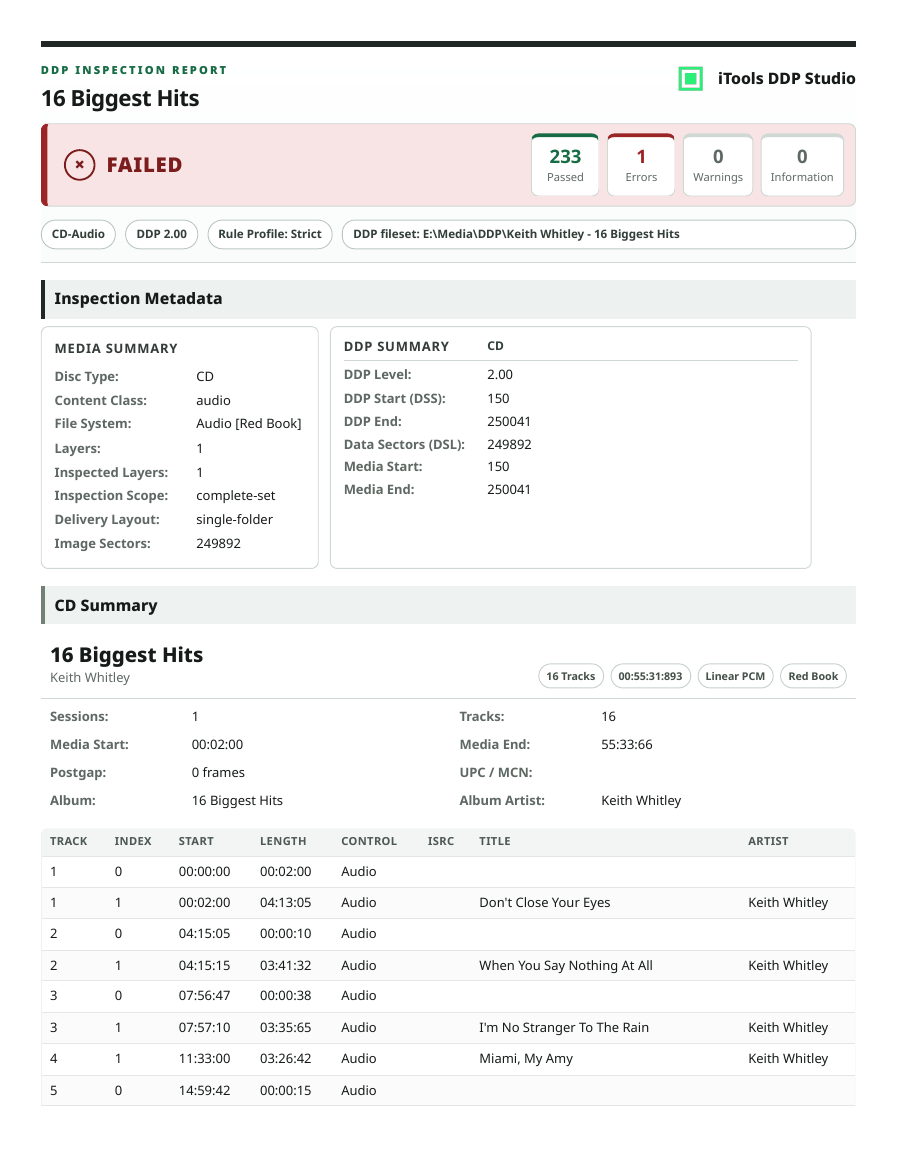
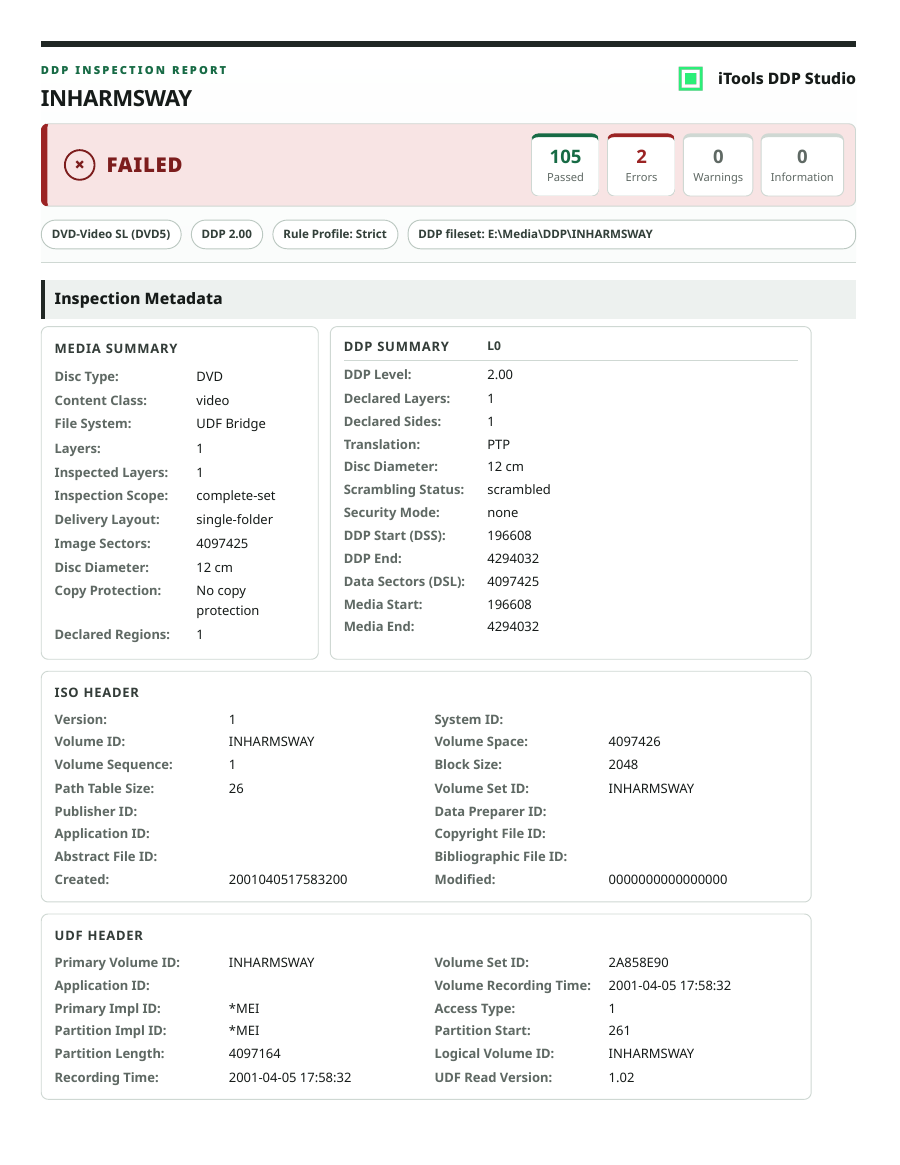
Sample iTools Inspect reports

Inspect produces structured reports for CD-Audio and DVD-Video DDP packages, including media metadata, DDP summary details, rule checks, warnings and errors. Desktop inspection requires an optional Inspect license.

From preparation to recipient

The sender chooses the route. The product should make that choice clear before delivery begins.

Prepare

Create or convert a supported DDP fileset in DDP Studio.

Choose your route

Save an iDDP for manual transfer, or choose integrated iHub delivery.

Inspect when needed

On the iHub route, eligible packages can be inspected inline; accepted pre-inspected packages skip duplicate DDP inspection. Desktop Inspect remains optional.

Review or receive

The recipient follows the email link, verifies access and opens the delivered package for review or intake.

Built for the people behind the master

The four orbit roles keep the animation simple. The copy explains the real workflows behind them.

Engineer

Prepare and verify

Audition transitions, convert ISO and DDP, package masters and add Inspect when local structure and metadata analysis is needed.

Studio

Send client packages

Prepare CD-Audio or DVD projects in DDP Studio, then choose manual delivery or integrated iHub delivery.

Artist

Proof and respond

Open the delivered CD-Audio DDP in DAP, proof the album, check metadata and capture timestamped studio feedback notes.

Factory

Receive for intake

Receive DDP filesets and supporting reports for the plant's own intake process. Plant acceptance remains the plant's decision.

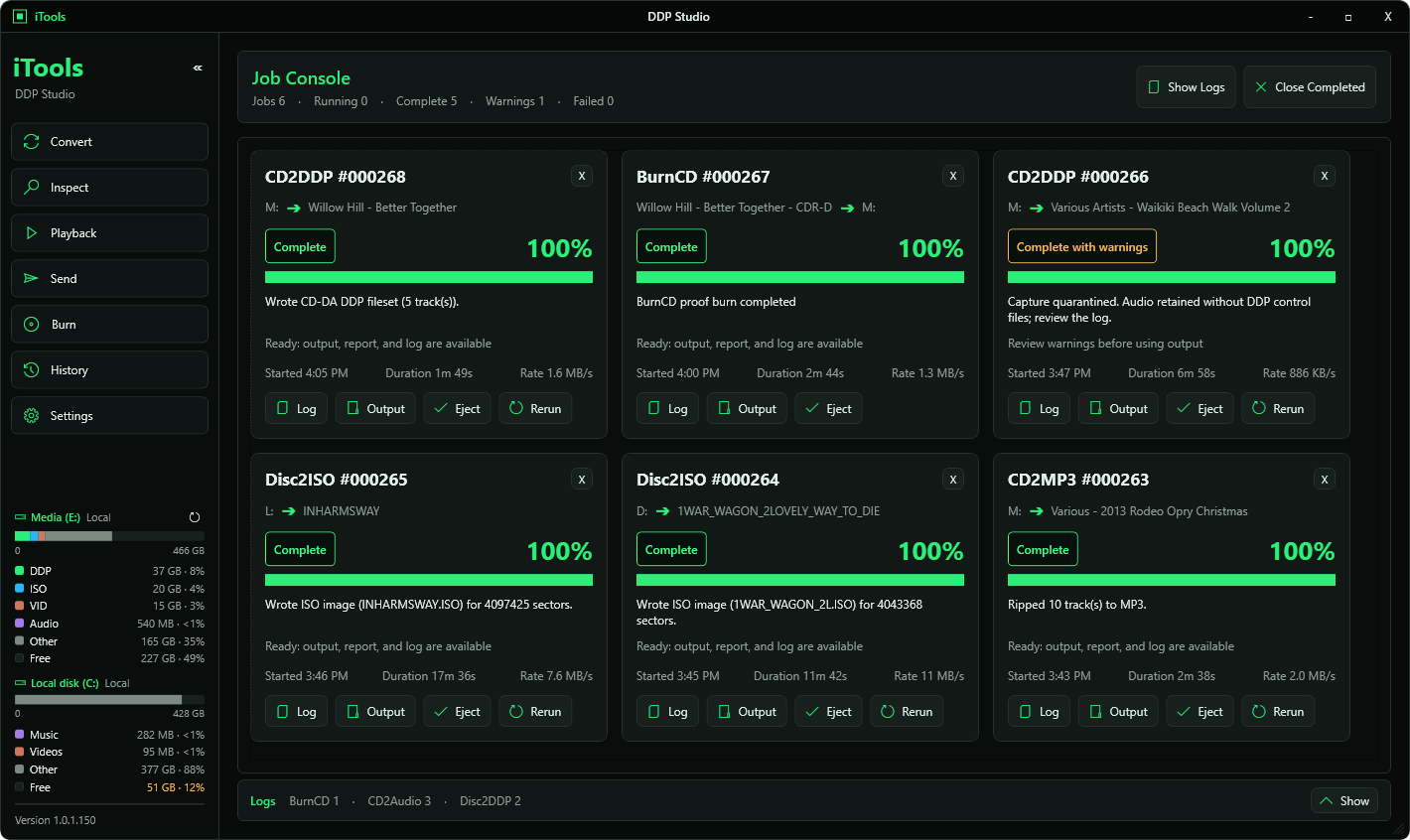
A clear view of every job.

Conversion, capture, packaging, delivery and proof-CD burning in one desktop workspace, with progress and logs close at hand. Add Inspect for detailed DDP findings and reports.

Workflow navigationMove between conversion, capture, playback, burn, package and inspection work without leaving the Studio workspace.
Job status and progressTrack long-running work and see the next action before a master leaves your system.
Logs and outputKeep the files, reports and per-job history tied to the work that produced them.
iTools DDP Studio job console
Prepare the master in Studio. Choose the delivery path with confidence.
Status
iTools DDP Studio, DAP and iHub delivery are in active development
Want a workflow review or demo?
[email protected]